
‹ All features12 of 13
Backup and export
Create a backup file of all your data whenever you want, optionally protected with a password, to keep it safe or move to a new iPhone. You can also export your data as a CSV or PDF file for your own analysis; an export cannot be restored.
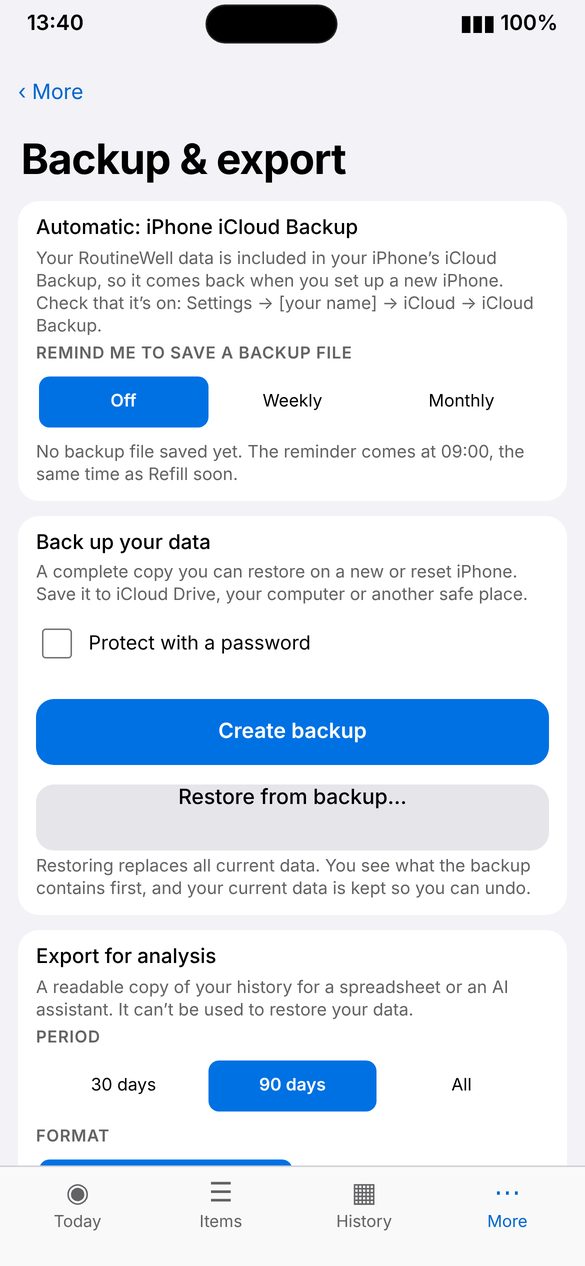
Screenshot: Restore
Screenshot coming soon
Screenshot coming soon
How to use
- Open More › Backup & export.
- Tap Create backup and choose where to save the file, for example iCloud Drive.
- To restore, choose Restore from a backup and pick the file.